An AI tutor you talk to
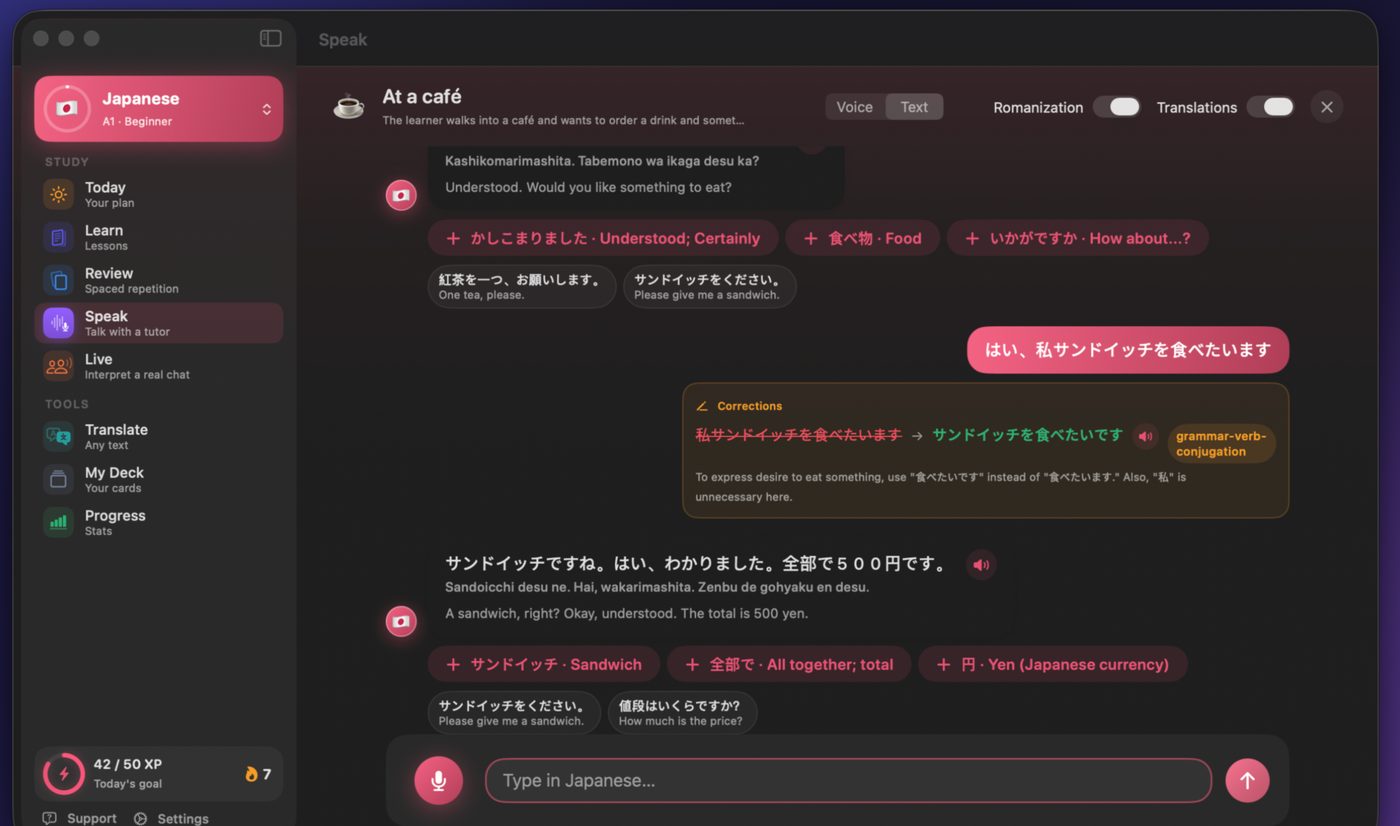
Role-play a café, a job interview or a market. The tutor answers, and corrects you out loud. How the AI tutor works →
Talvo for Mac
Talvo is a native Mac app, not a website in a window. Talk to an AI tutor that corrects you out loud, work through lessons written around your interests, and keep your streak going from the menu bar. 27 languages, first lesson free.
Free on the Mac App Store · macOS 14.6 or later
The Study menu and the menu bar item use the same shortcuts.
| Action | Shortcut |
|---|---|
| Start a review | ⌘⇧R |
| Continue your lesson | ⌘⇧L |
| Talk with the tutor | ⌘⇧S |
| Open the live interpreter | ⌘⇧I |
| Translate | ⌘⇧T |
| Play the audio again / slowly | ⌘P / ⌘⇧P |
| Pick an answer | 1 to 9 |
| Show the answer in a review | Space |
| Rate a review card | 1 Again · 2 Hard · 3 Good · 4 Easy |
| Send a message or translate | ⌘↩ |
| Stop the tutor talking | ⌘. |
Role-play a café, a job interview or a market. The tutor answers, and corrects you out loud. How the AI tutor works →
Sit with someone who speaks another language: Talvo shows what they said and three ways to reply, then says your answer. How it works →
A short placement test, then a course from A1 to C1 written around what you care about. See the 27 languages →
Spaced repetition brings each word back right before you'd forget it, and it works offline.
Any Mac with macOS 14.6 or later.
Yes, and one Talvo Pro subscription covers both.
Reviews work offline. Writing new lessons, the AI tutor and the live interpreter need an internet connection.
No. There's nothing to sign up for. Your progress stays on your Mac, and purchases are tied to your Apple Account.
The first lesson is free, and so is a taste of every other feature. Talvo Pro is $5.99 a week, $12.99 a month or $69.99 a year, with a free trial to start.
Free on the Mac App Store. First lesson free.


